
How do I switch Challenges or start another Tour?
If you’re on Tour 2 or higher, you can switch to another Challenge in your current Box, choose another Box you’ve already toured through, or switch to the next Box in your sequence.
If you just completed a Box, you can go to your Roadmap to tour back through a previous Box or the same Box.
We recommend practicing through a full Challenge before switching whenever possible. The phrases in each Challenge are intentionally connected, so practicing them together helps the phrases cue one another and makes them easier to remember and use in real life.
When you complete a Box, we recommend moving forward instead of completing multiple Tours just to practice every phrase.
Moving forward helps your family add language for more parts of everyday life while Reviews keep the phrases you already practiced active. When you come back for another Tour later, the topic and language patterns are already familiar, so new phrases connect to language your family is already using and are easier to remember and start using in real life.
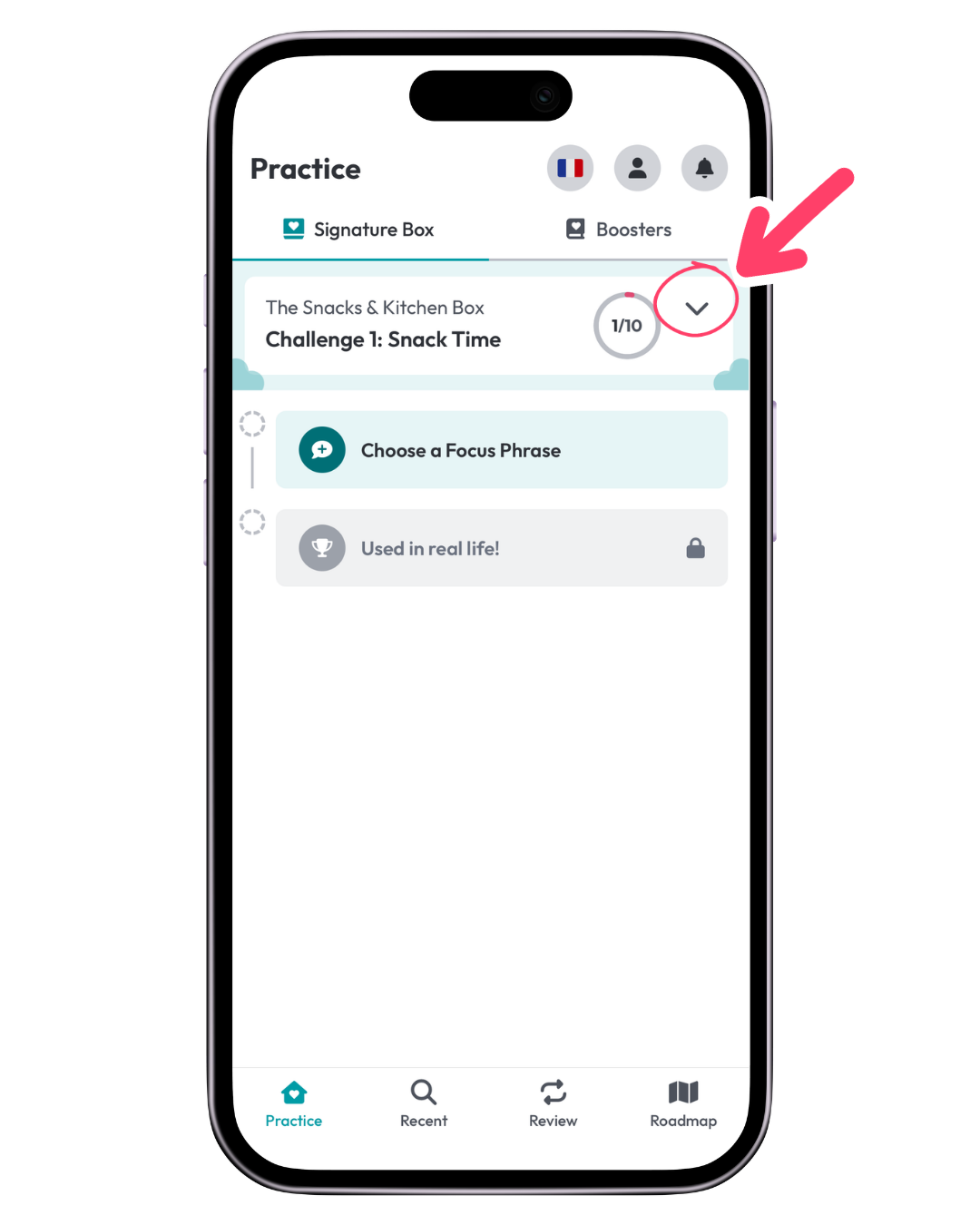
1. Tap the chevron next to your Practice Session
From Practice → Signature Box, look next to your current Practice Session number.
If you’re on Tour 2 or higher, you’ll see a chevron.
Tap it to see the Challenges available to you.
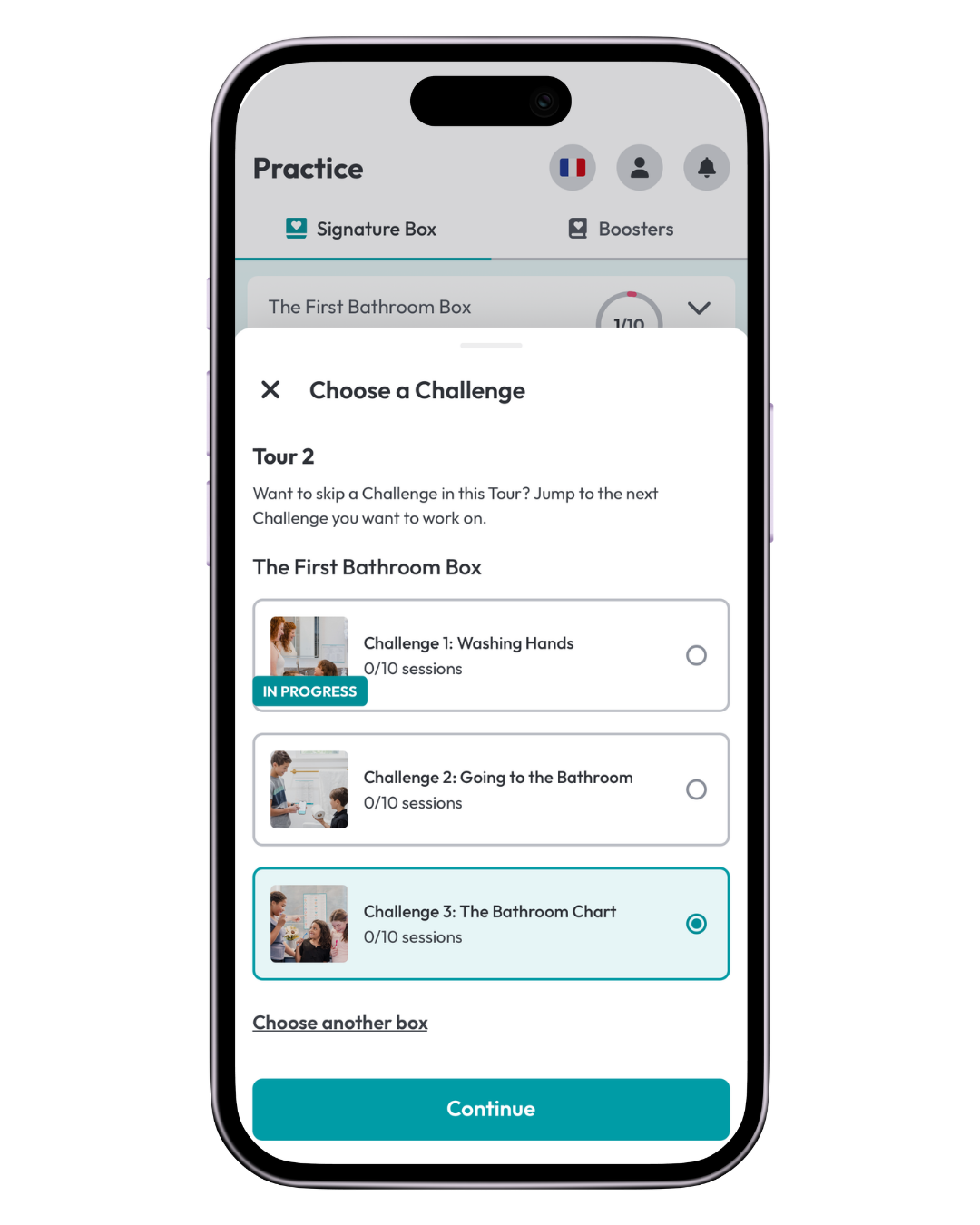
2. Choose another Challenge
You’ll see the three Challenges in your current Box.
Tap the Challenge you want to practice next, then tap Continue.
You can also tap Choose another Box if you want to practice from a different Box.
3. To practice from another Box
When you tap Choose another Box, you’ll return to your Roadmap.
Or if you just completed a Box, you can click on your Roadmap.
From there, you can choose:
- any Box you have already toured through
- the next Box in your sequence if you haven’t toured through all of your Boxes yet
If you're on a second Tour, you can also choose the Challenge where you want to begin your next Practice Session.
What happens to the Challenge I leave?
If you leave a Challenge before completing all 10 Practice Sessions, the app will ask you to confirm that you want to Skip Ahead.
When you move on, your current Review Set closes with the Focus Phrases you already practiced in that Challenge.
For example:
If you practiced 4 Focus Phrases, your Review Set will close with those 4 phrases.
Once that Review Set closes:
- you cannot add more Focus Phrases to that Review Set
- you cannot return later and continue adding new phrases to that Challenge on the same Tour
- the phrases you already practiced will still come back through Reviews
- you can work on new phrses in another Tour
Make sure you’re ready to move on before confirming. Closing that Review Set cannot be undone.
When should I switch Challenges?
We recommend staying in your current Challenge until you complete it whenever possible.
Moving through the full Challenge gives your family time to practice connected language together before adding a new topic.
Switching can make sense when:
- you’ve completed a Challenge and want to skip to another Challenge
- you’ve completed the Box and want to begin another Tour or skip to another Box
- you’ve already practiced all of the phrases you want from that Challenge